
Sell by Weight & Length
Extension · v1.0.1Sell products by weight, length, area or volume with decimal quantities, unit prices, step/min/max and a live price on the product page.
- 4.1.0.x
- 4.0.2.x
- 3.0.x
from$69Buy
by Kavio Labs · for OpenCart 4.x and 3.0.x
Grocery and food delivery theme for OpenCart 4.x and 3.0.x: aisle bubbles, stepper product cards with unit prices, recipe add-all block and a phone basket bar. Four presets, no core changes.
Grocery and food delivery theme for OpenCart 4.x and 3.0.x: aisle bubbles, stepper product cards with unit prices, recipe add-all block and a phone basket bar. Four presets, no core changes.
OpenCart 4.0.2.0 - 4.1.0.4, 3.0.x
Pantry is a grocery and food delivery theme for OpenCart 4.x and 3.0.x by Kavio Labs. It is built for grocers, farm shops, bakeries, delis, meal-box and local delivery stores: shoppers fill a basket in two minutes on a phone.
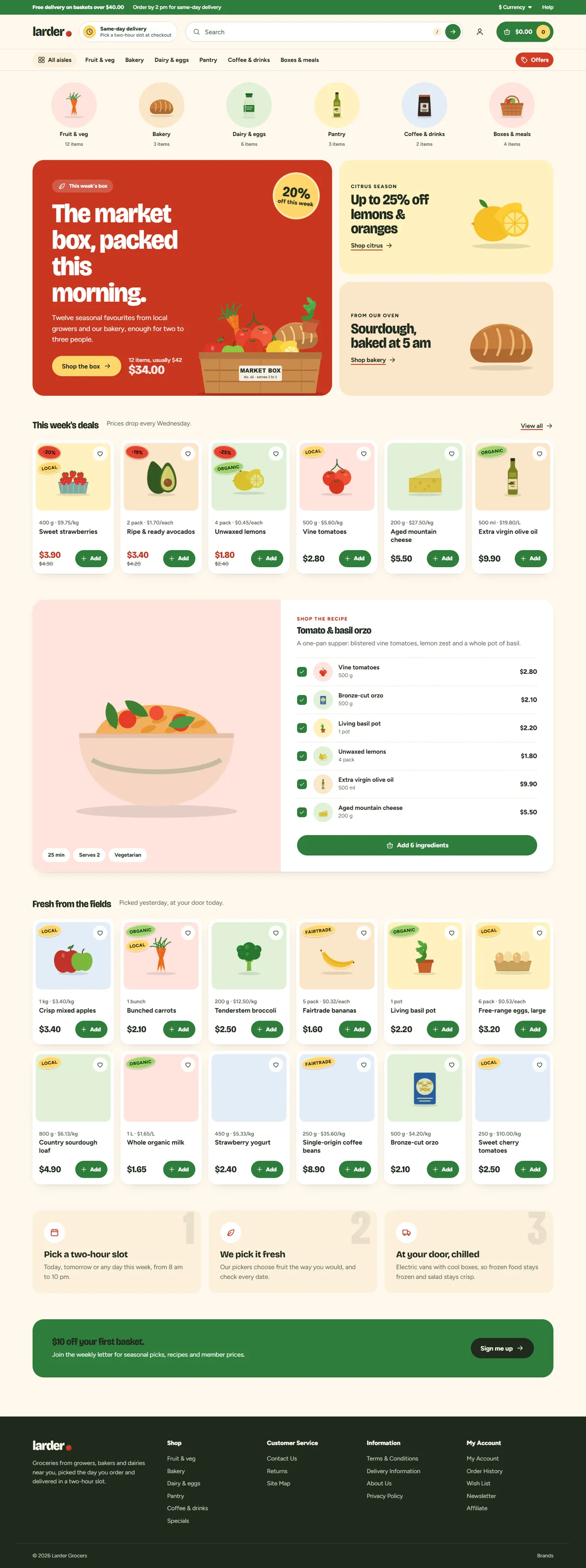
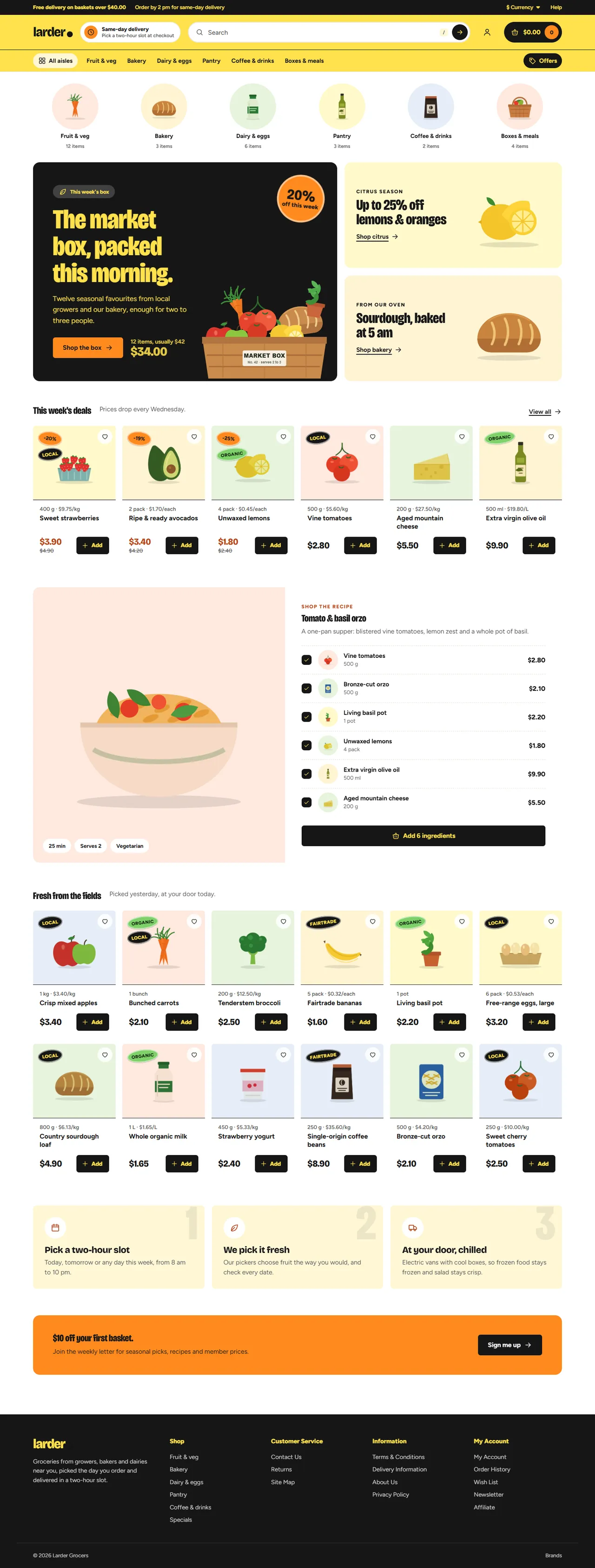
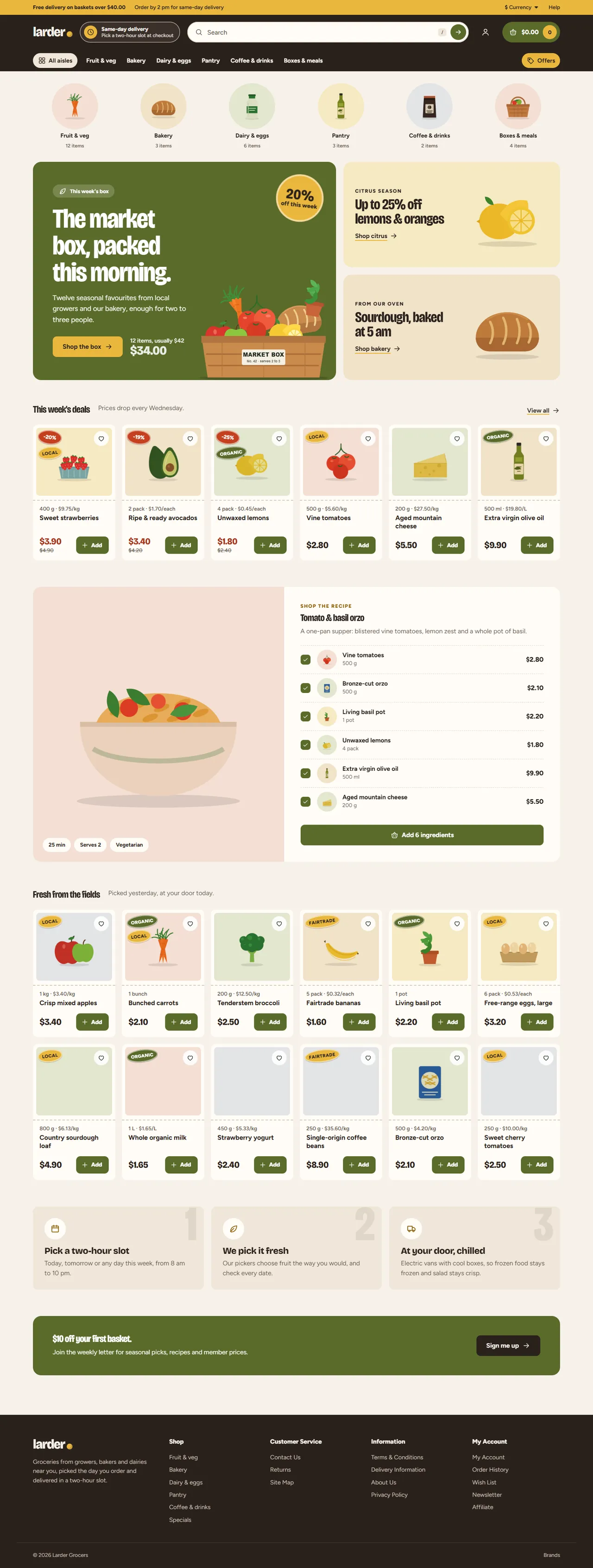
| Market | Citrus | Deli |
|---|---|---|
|  |  |
#form-product, #input-quantity, #button-cart) and on the mini cart (#cart).| OpenCart 4.0.2.0 to 4.1.x | OpenCart 3.0.3.x to 3.0.5.x | |
|---|---|---|
| Package | kv_theme_pantry.ocmod.zip | kv_theme_pantry-oc3.ocmod.zip |
| Framework | Bootstrap 5 | Bootstrap 3 |
| Pantry templates | header, menu, search, mini cart, footer, home, category, product card, product page | header, menu, search, mini cart, footer, home, category, product card |
| Restyled core pages | cart, checkout, account, search, specials, information | product page, cart, checkout, account, search, specials, information |
One licence covers both packages and includes 12 months of updates and support.
kv_theme_pantry.ocmod.zip. Click Install (the green + button) next to it.OpenCart 4 has no theme folders. Pantry is a theme extension: it swaps in its own templates while it is the store's theme and switched on. Switch the store back to Default to return to the stock look at any time.
kv_theme_pantry-oc3.ocmod.zip.Click Uninstall in Extensions > Extensions > Themes. Pantry removes its events and settings. A store that still uses Pantry is switched back to the stock theme first, so it never renders without a theme. Then delete the upload in Extensions > Installer.
Upload the new package in Extensions > Installer (OpenCart 4: uninstall the old version there first), then refresh modifications on OpenCart 3. Your Pantry settings stay as they are.
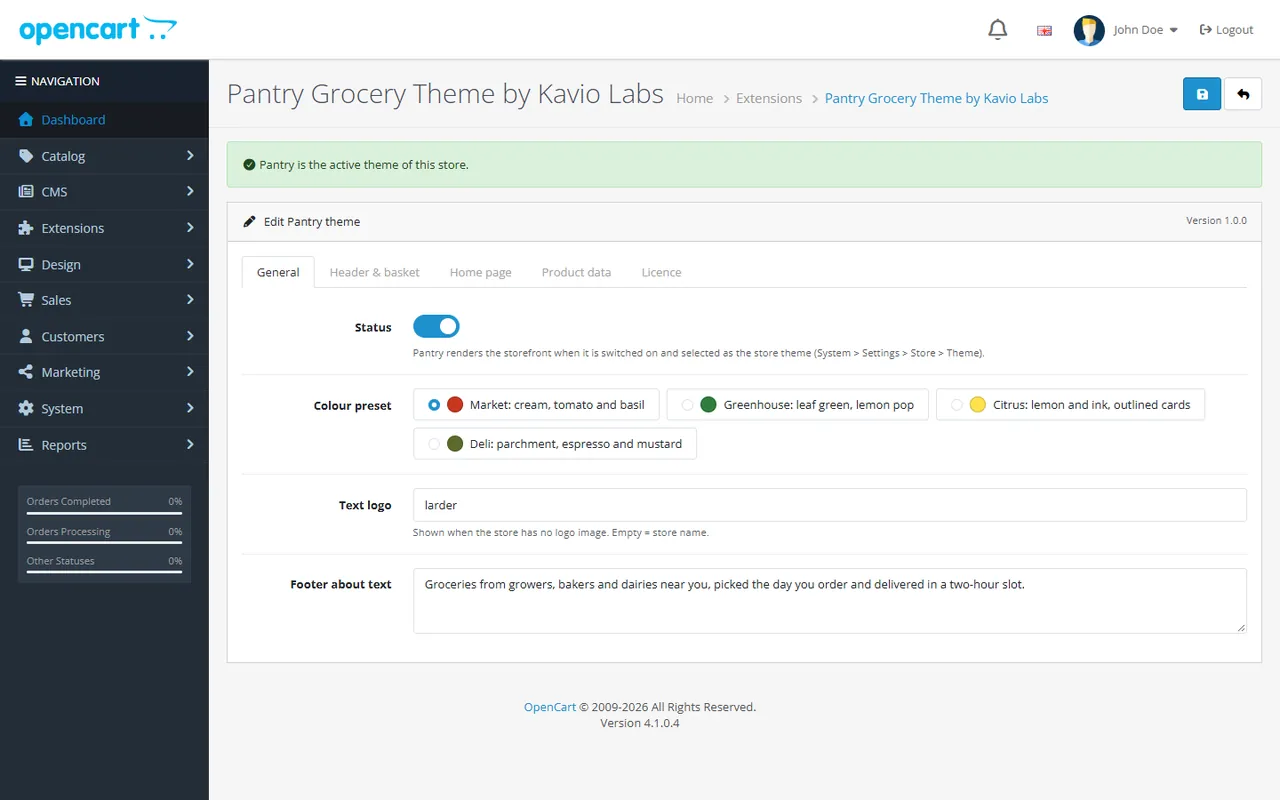
All settings are on Extensions > Extensions > Themes > Pantry > Edit, per store.
| Setting | What it does |
|---|---|
| Status | Pantry renders the storefront when it is on and selected as the store's theme. |
| Colour preset | Market (cream, tomato and basil, soft cards), Greenhouse (leaf green header, flat cards with full-bleed images), Citrus (lemon and ink, outlined cards, square buttons, condensed type), Deli (parchment and espresso, ticket-style cards). |
| Text logo | Shown when the store has no logo image. Empty means the store name. |
| Footer about text | Short text under the logo in the footer. |
| Setting | What it does |
|---|---|
| Top bar note | {threshold} is replaced by the free delivery threshold, e.g. "Free delivery on baskets over {threshold}". Leave it empty to hide it. |
| Delivery note | Right part of the top bar and the delivery box on product pages, e.g. "Order by 2 pm for same-day delivery". |
| Delivery pill | Title and text of the pill next to the logo. It is a static text: Pantry does not book delivery slots. |
| Free delivery threshold | In your default currency. It drives the progress in the phone basket bar. 0 hides the progress. Set the same amount in your shipping method (for example the Free Shipping total). |
| Search placeholder, Offers link label | Header texts. The Offers link opens the Specials page. |
Pantry's home page shows, in this order: aisle bubbles, the hero with two promo boxes, a deals row, the recipe block, a second product row, "How delivery works", and the offer band. Modules of the Home layout follow the product rows.
20), a category path (20_27) or a URL. An empty link opens the Specials page.image/, for example catalog/home/box.png. Without one, Pantry uses its built-in illustrations.25 min|Serves 2|Vegetarian. The Add all button adds every ticked ingredient in its minimum quantity.Pantry reads normal OpenCart attributes (Catalog > Attributes). Name them as below, or change the names on this tab.
| Attribute (name) | Example value | Shown as |
|---|---|---|
| Pack size | 500 g, 1 kg, 750 ml, 1 L, 6 pack, 1 bunch | Unit line on cards and product pages, plus the price per kg, per L or per item |
| Label | Organic, Local | Up to two produce stickers. Organic and Vegan are green, the others yellow |
| Origin, Storage, Shelf life | Kent, UK | Up to 3 facts on the product page |
| Allergens | Milk, Gluten | Chips on the product page |
| Group Nutrition: Energy, Fat, Carbohydrate ... | 40 kcal, 0.3 g | Nutrition table on the product page |
The price per unit uses the special price when there is one and includes tax when your store shows prices with tax.
Enter your licence key on the Licence tab. Fresh installs run a 14-day trial. Without a valid licence, Pantry keeps working and this page shows a reminder. The store and the admin panel are never blocked. The licence check runs in the admin panel only, at most once a day. It sends the licence key, the theme id and version, your store host names and the OpenCart version.
No. On OpenCart 4, Pantry is a theme extension that swaps in its templates through events. On OpenCart 3, it is a theme folder plus a theme extension that adds data through events. Neither version edits core files or adds OCMOD modifications.
Your Theme Editor version. Pantry only uses its own template when the Theme Editor has no override for that page.
No. The delivery pill and the delivery note are texts you write. Use a delivery-date extension for slot booking. Pantry styles the checkout around it.
OpenCart sends the shopper to the product page to choose the options. The card stepper only tracks products without options.
From the mini cart, which Pantry reloads after every change. The state is right after any add, remove or quantity change, on any page.
White or transparent works best. Pantry shows images in tinted wells and blends white into the tint. Photos with a busy background still work, but look less like the demo.
Bricolage Grotesque and Figtree, served from your own store (fonts/ in the theme assets, SIL Open Font License 1.1). Pantry loads no fonts from third-party servers.
Nothing changes in your store. The Pantry settings page shows a reminder until you renew. Updates and support need a valid licence.
Yes. The screenshots in these docs come from the "Larder Grocers" demo: 6 aisles and 30 products with illustrations made for the theme.
More for OpenCart
Sell products by weight, length, area or volume with decimal quantities, unit prices, step/min/max and a live price on the product page.
Shoppers propose a price; the store accepts, declines or counters, and the agreed price is enforced in the cart once.
Buy X get Y, tiered cart discounts, free gifts and scheduled rules on top of OpenCart specials and coupons.

