
Sell by Weight & Length
Extension · v1.0.1Sell products by weight, length, area or volume with decimal quantities, unit prices, step/min/max and a live price on the product page.
- 4.1.0.x
- 4.0.2.x
- 3.0.x
from$69Buy
by Kavio Labs · for OpenCart 4.x and 3.0.x
Buy X get Y, tiered cart discounts, free gifts and scheduled rules on top of OpenCart specials and coupons (OpenCart 4.x and 3.0.x).
Buy X get Y, tiered cart discounts, free gifts and scheduled rules on top of OpenCart specials and coupons (OpenCart 4.x and 3.0.x).
OpenCart 4.0.2.0 - 4.1.0.4, 3.0.x
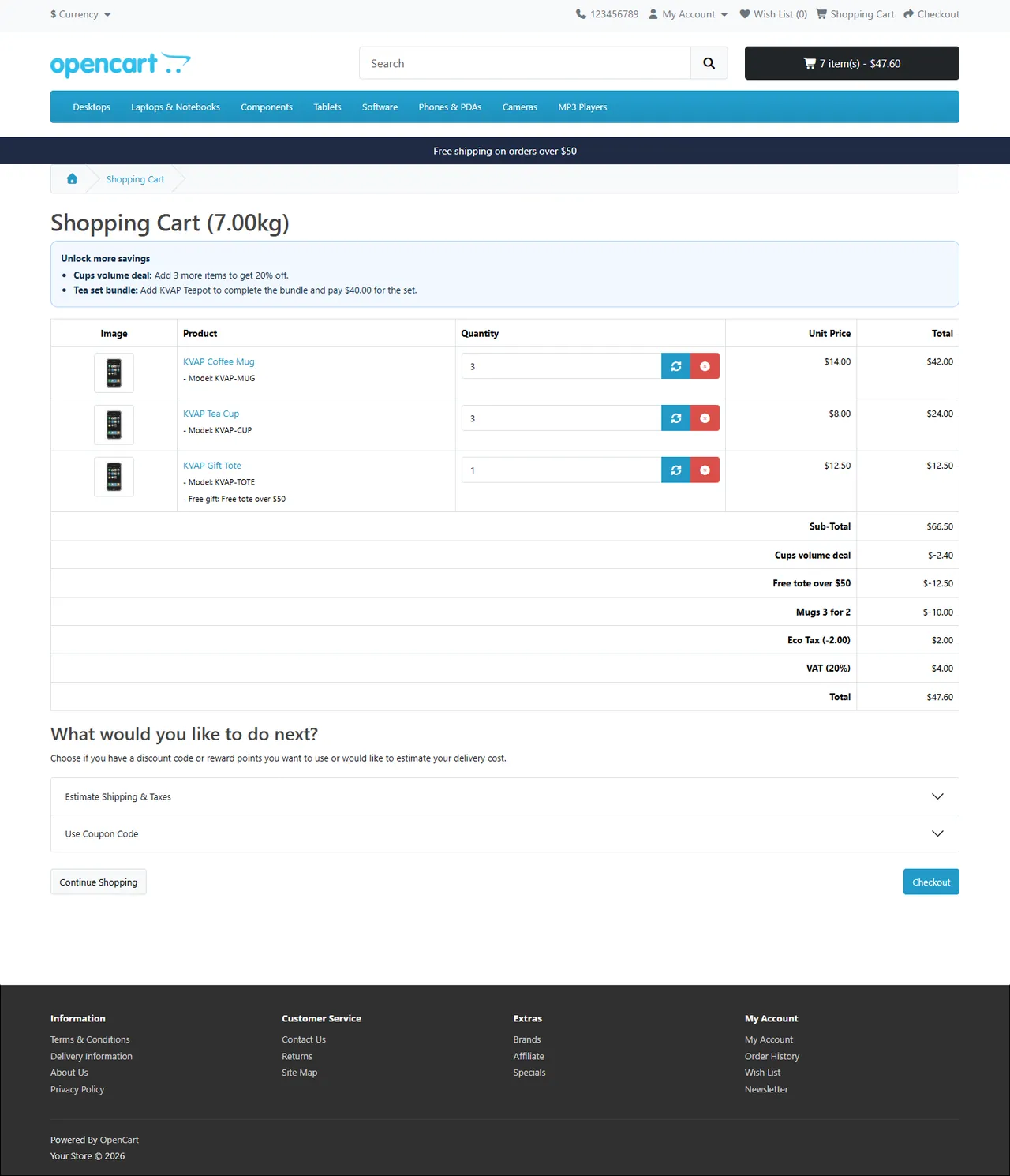
Run the promotions OpenCart cannot do on its own: buy X get Y, cheapest item free, % off the Nth item, volume tiers, bundles, free gifts and scheduled campaigns, with clear priority and stacking rules. Every applied promotion appears as its own line in the order totals: in the cart, at checkout, in e-mails and on invoices.

| OpenCart 4 | OpenCart 3 | |
|---|---|---|
| Versions | 4.0.2.0 – 4.1.x | 3.0.3.x – 3.0.5.x |
| Package | kv_advanced_promotions.ocmod.zip | kv_advanced_promotions-oc3.ocmod.zip |
| PHP | as required by OpenCart (8.1+ for 4.1.x) | as required by OpenCart (8.1+ for 3.0.5.x); the extension itself runs on PHP 7.4+ |
kv_advanced_promotions.ocmod.zip, then click Install next to it.kv_advanced_promotions-oc3.ocmod.zip.kv_ap_campaign, kv_ap_order). They are kept when you uninstall, so an upgrade or a reinstall keeps your promotions and statistics.OpenCart 4: uninstall the module, remove the old package in Extensions > Installer, upload and install the new one, then install the module again. OpenCart 3: upload the new package over the old one and click Refresh in Extensions > Modifications. Your promotions stay.
Without a key the extension runs for a 14-day trial. Enter the key from your Kavio Labs account on the settings page and click Check now. Without a valid license the promotions stop applying to new carts and the badges, nudges and free gifts are hidden; the admin, your promotions and placed orders keep working.
Extensions > Extensions > Modules > Advanced Promotions > Edit
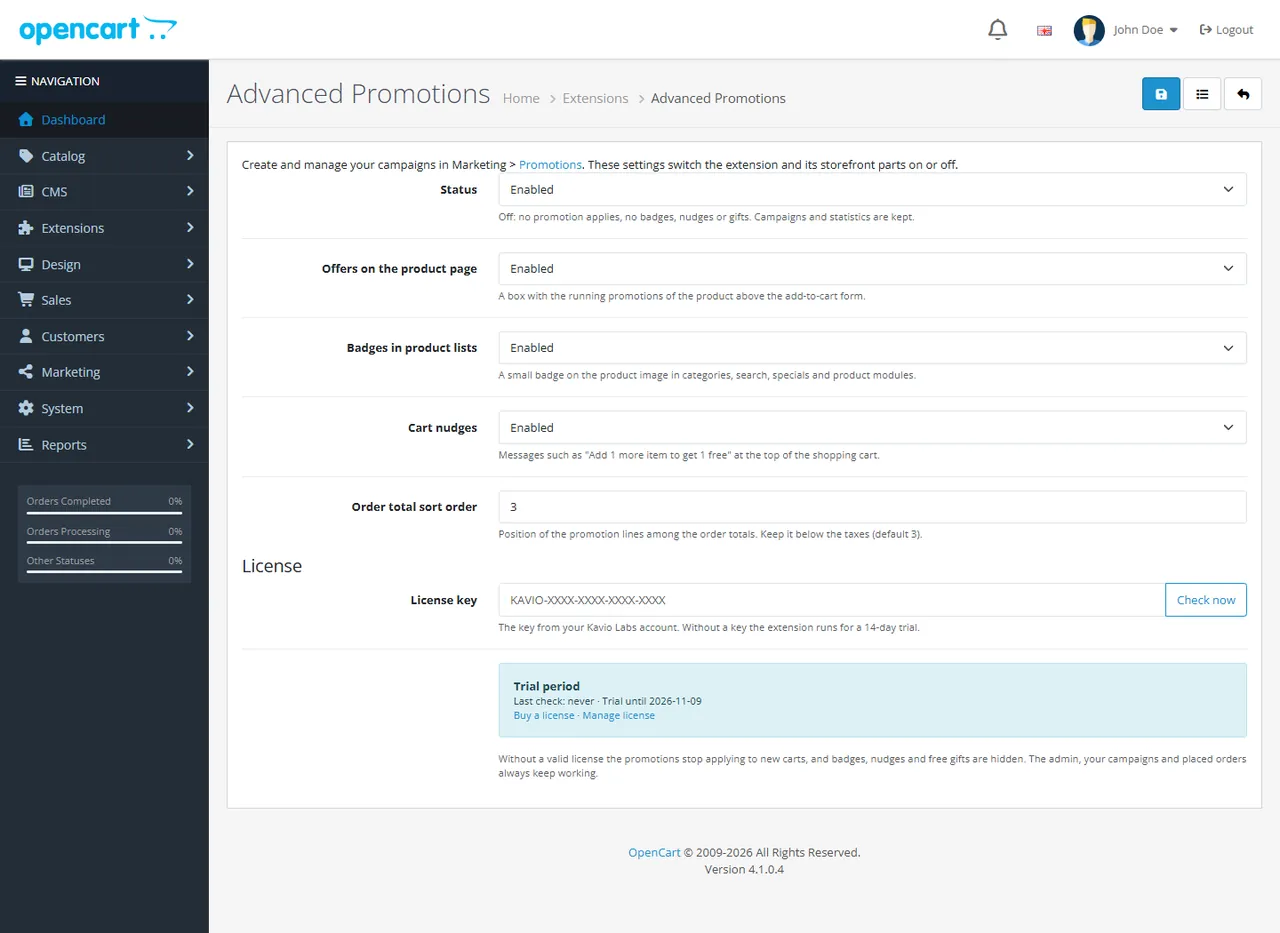
| Setting | Default | What it does |
|---|---|---|
| Status | Disabled after install: enable it | Off: no promotion applies, no badges, nudges or gifts. Promotions and statistics are kept. |
| Offers on the product page | On | A box with the running promotions of the product above the add-to-cart form. |
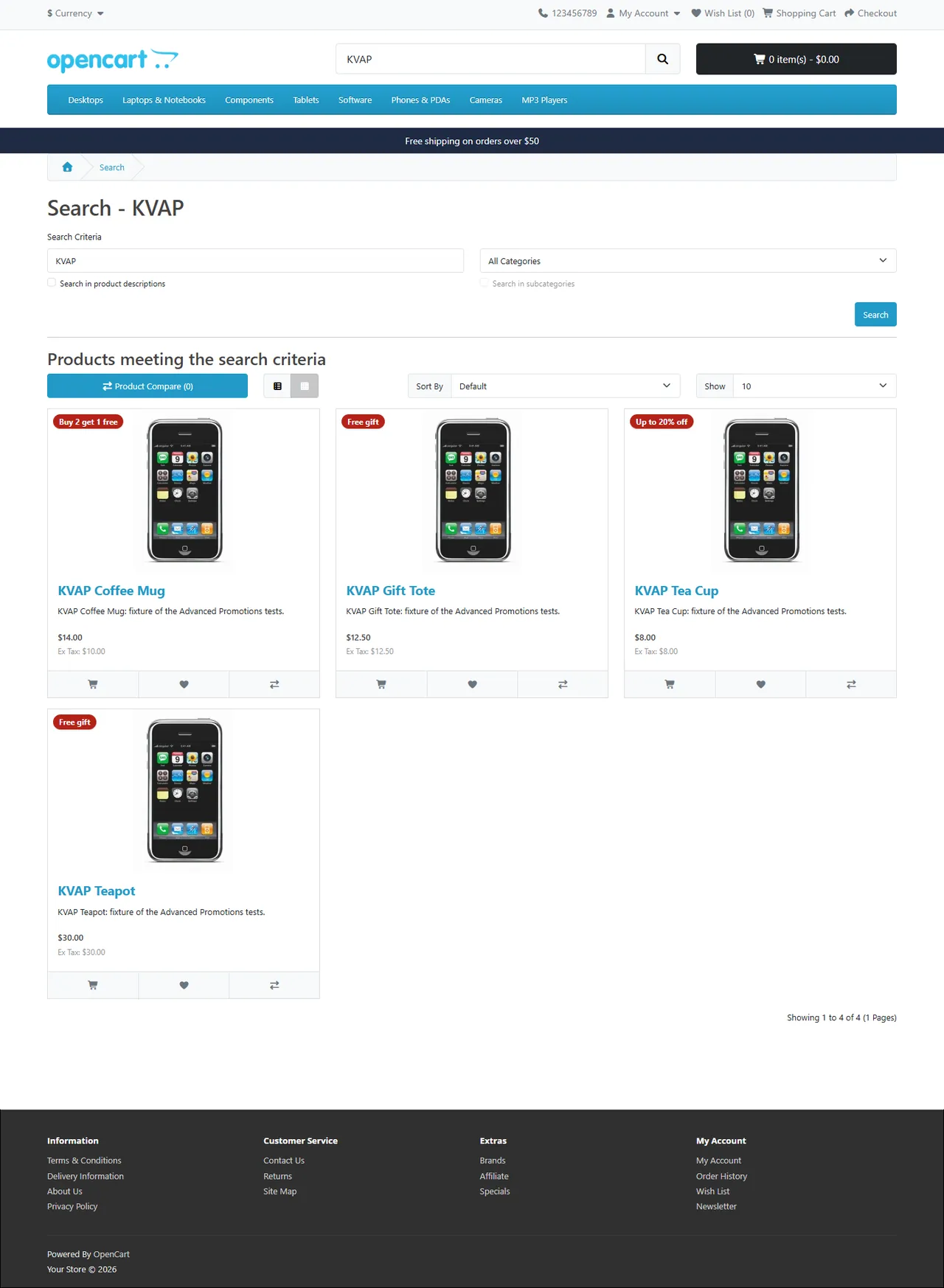
| Badges in product lists | On | A badge on the product image in categories, search, specials and product modules (featured, latest, bestsellers, related products). |
| Cart nudges | On | "Add 1 more item to get 1 free", "Spend $14.00 more to get a free tote" under the cart heading. Each promotion can switch its nudge off. |
| Order total sort order | 3 | Position of the promotion lines among the order totals. Keep it below the taxes (5) so taxes are calculated on the discounted prices. |
| License key | Your Kavio Labs license key; Check now verifies it immediately. |
The promotions themselves are managed in Marketing > Promotions: see Usage.
Marketing > Promotions shows every promotion with its type, badge, schedule, priority and status (Active, Scheduled, Ended, Disabled), the number of orders that used it, the discount given and the revenue of those orders. The cards at the top sum up the last 30 days. An order counts once it reaches a processing or complete status (your Order Processing / Complete Status settings); a canceled order is taken out again.

Copy starts a variant (the copy is disabled), the toggle enables or disables a promotion, and Delete removes the selected promotions (the statistics of placed orders are kept).

Promotion: the Name is what shoppers see as the discount line ("Summer 3 for 2"). Choose the Type, the Priority (lower numbers first), an optional Badge text (empty: generated, for example "Buy 2 get 1 free") and whether to show badges and cart nudges.
Products (used by most types): All products, or Selected products, categories or brands (type a few letters to search). Categories include their subcategories unless you untick it. Exclusions never count and are never discounted.
Count by number of items or subtotal of the selected products, the Discount type (percent off, amount off each item, amount off the total) and up to six rows From → Discount. The highest row the cart reaches applies to every item of those products.
Percent off, fixed price per item, amount off each item or amount off the total, optionally only from a Minimum items count. Good for scheduled sales such as "20% off Brand X this weekend".
Up to six products with quantities. Every complete bundle in the cart gets the Bundle price, Percent off the bundle or Amount off the bundle, spread over its items (Repeat for every complete bundle).
The Gift product (choose one without required options) and its quantity, given when the cart has at least the items and/or the subtotal of the selected products. The gift is added to the cart automatically, labelled Free gift, and its price is taken off by the promotion line. When the cart drops below the condition the gift is removed. When the shopper removes the gift, it is not added again during that visit.
No. It uses OpenCart events and a standard order total. There is no OCMOD patch.
OpenCart keeps the product price on the line; the promotion line in the totals takes it off, and taxes are reduced accordingly. Your reports and invoices stay consistent.
No. Each promotion uses the price left after the OpenCart coupon, an accepted Make an Offer price and earlier promotions, and never goes below zero. Use Stop further promotions or Skip items already discounted for exclusive deals.
Use a coupon code (a 0% OpenCart coupon) or a customer group.
Yes. Rules are set in your default currency excluding tax; shoppers see converted amounts and taxes follow the discounted prices.
OpenCart recalculates the totals with the current promotions. A free gift line is then charged like a normal product, because the gift marker of the cart line is not stored with the order; remove the gift line or adjust the order if needed.
When the order reaches a processing or complete status. A canceled order gives the use back.
After the 14-day trial the promotions stop applying to new carts and badges, nudges and gifts are hidden. The admin, your promotions and placed orders keep working.
Yes. Units bought at an accepted offer price are excluded from promotions.
More for OpenCart
Sell products by weight, length, area or volume with decimal quantities, unit prices, step/min/max and a live price on the product page.
Shoppers propose a price; the store accepts, declines or counters, and the agreed price is enforced in the cart once.
Grocery and food delivery theme for OpenCart 4.x and 3.0.x: aisle bubbles, stepper product cards with unit prices, recipe add-all block and a phone basket bar. Four presets, no core changes.

